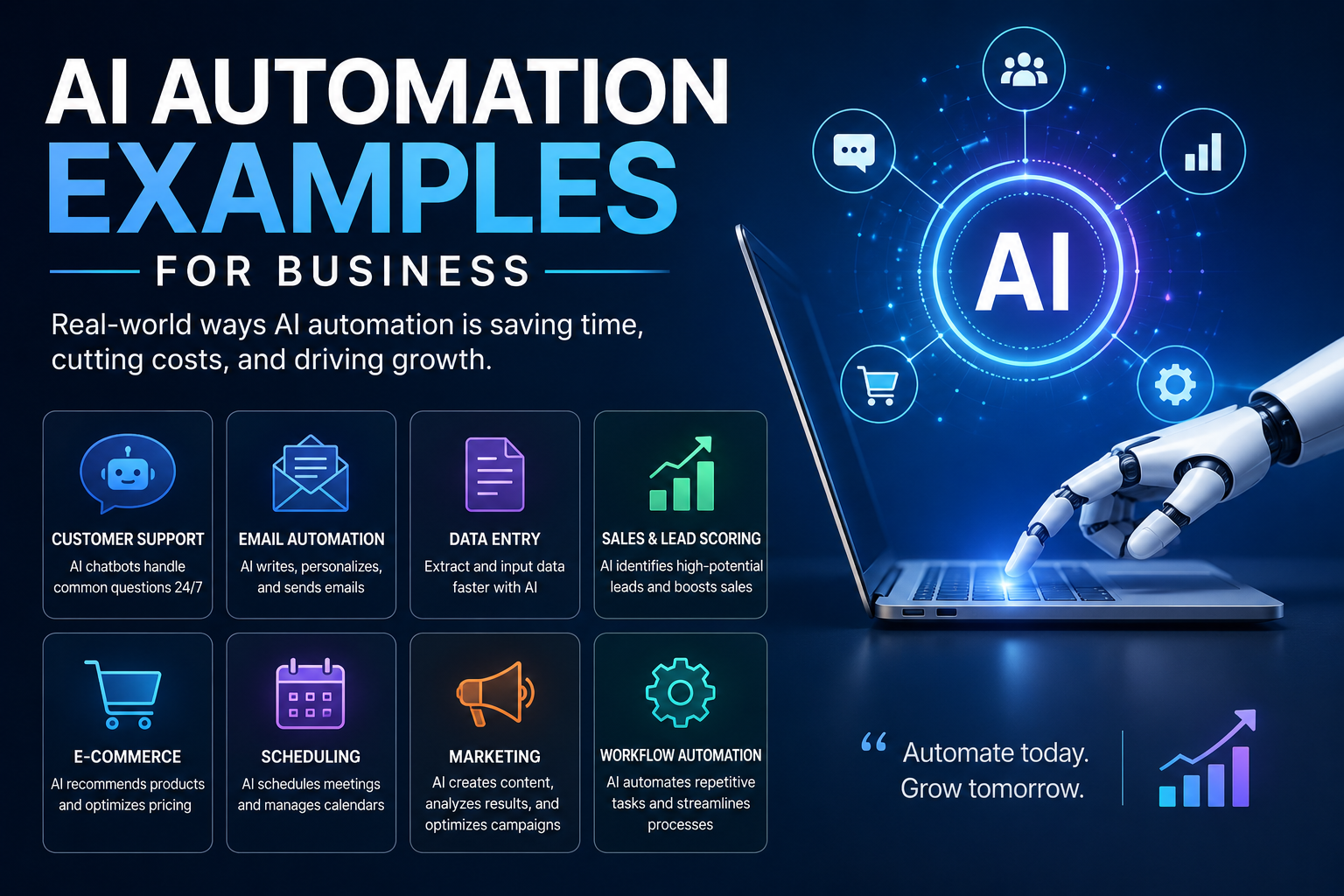
AI Automation Examples for Business: What’s Actually Working in 2026
The best way to understand what AI automation can do for a business isn’t to read capability descriptions.
It’s to look at what businesses are actually doing with it — the specific workflows, the real time savings, the concrete before-and-after — and figure out which ones map to problems you actually have.
That’s what this is. Not a theoretical framework. A collection of AI automation examples that are working in real businesses in 2026, organized by function.
Futurelume — where AI meets practical work
Sales and Lead Generation
Example 1: Automated Lead Research and Personalization
The old process: A sales rep spends 20-30 minutes researching a prospect before reaching out — company news, recent hiring patterns, tech stack, competitive positioning — then writes a personalized email.
The automated version: An AI agent pulls company data from LinkedIn, the company website, recent press releases, and job postings. It generates a research brief and drafts a personalized outreach email that references something genuinely specific to the prospect. The rep reviews, adjusts, and sends. Total rep time: 3-5 minutes per prospect.
Who’s doing this: B2B SaaS companies, consulting firms, agencies with high-volume outbound.
Time savings: 15-25 minutes per prospect. At 20 outreach emails per day, that’s 5+ hours recovered daily for actual conversations.
Example 2: CRM Data Entry Automation
The old process: After every sales call, reps spend 10-15 minutes updating the CRM — call notes, next steps, contact information changes, deal stage updates.
The automated version: Call recording + AI transcription + CRM integration. The AI listens to the call, extracts key information, updates the deal record, creates follow-up tasks, and drafts a meeting summary email. The rep reviews and approves, rarely making more than minor corrections.
Who’s doing this: Sales teams using tools like Gong, Chorus, or custom integrations.
Time savings: 10-15 minutes per call. For a rep making 8 calls per day, that’s up to 2 hours recovered.
Marketing
Example 3: Content Repurposing at Scale
The old process: A marketing team writes a blog post. Someone else adapts it into a LinkedIn article. Someone else writes social captions. Someone writes an email newsletter section. Each format requires separate work.
The automated version: The blog post is input into an AI workflow. The system generates a LinkedIn post, 3 Twitter/X variations, an Instagram caption, a newsletter paragraph, and ad copy variations — each formatted for its platform. A human reviews and publishes. Total production time for all formats: 30 minutes instead of 3+ hours.
Content repurposing can extend to video as well. For campaigns that require variations of existing footage, creators can use AI face swap videos to replace a face in a video with one from an uploaded photo, creating new versions for social media, promotional content, and other creative campaigns without manually editing the footage.
Who’s doing this: Content-heavy businesses, agencies, solo marketers. This is one of the benefits of generative AI for businesses that shows up most consistently.
Time savings: 2-3 hours per piece of content repurposed across formats.
Example 4: Campaign Brief Generation
The old process: Before any campaign can be built, a marketing manager spends 2-3 hours on keyword research, competitive analysis, audience analysis, and brief writing.
The automated version: Input a campaign topic. The AI pulls keyword data, analyzes top-ranking content, identifies content gaps, and generates a structured brief with recommended angles, target keywords, and outline. Total time: 20 minutes of review instead of 3 hours of research.
Who’s doing this: SEO teams, content agencies, in-house marketing teams.
Customer Service
Example 5: Tier-One Support Automation
The old process: Customer submits a support ticket. It sits in a queue. An agent reads it, looks up the account, finds the answer in documentation, and responds. For common questions, this cycle takes 2-6 hours.
The automated version: The AI reads the ticket, classifies the issue, looks up the customer’s account, finds the relevant documentation, and drafts a response. For tier-one issues (order status, password resets, basic troubleshooting, billing questions), the response goes out within minutes without human involvement. Complex issues get routed to humans with context already extracted.
Who’s doing this: E-commerce companies, SaaS businesses, any company with high support volume.
Typical result: 60-80% of tier-one tickets handled automatically. Human agents focus on the 20-40% that actually need them.
Example 6: Sentiment Monitoring and Escalation
The old process: Customer feedback comes in through reviews, surveys, support tickets, and social mentions. Spotting concerning patterns requires manual review.
The automated version: AI monitors all feedback channels continuously, classifies sentiment, identifies emerging complaint patterns, and escalates to the right team when thresholds are crossed. A spike in shipping complaints triggers an alert to operations before it becomes visible as a public reputation issue.
Who’s doing this: E-commerce, hospitality, consumer products companies.
Finance and Operations
Example 7: Invoice Processing Automation
The old process: Invoices arrive via email. Someone opens each one, extracts the vendor, amount, date, and line items, enters the data into the accounting system, matches against purchase orders, and routes for approval.
The automated version: AI reads the invoice (PDF, image, or email), extracts all relevant data, matches against open POs, identifies discrepancies, creates the accounting entry, and routes for approval only when human judgment is actually needed. Straight-through processing for standard invoices that match existing POs.
Time savings: 5-10 minutes per invoice. At 200 invoices per month, that’s 16-33 hours of manual work eliminated.
Example 8: Financial Report Assembly
The old process: Finance team pulls data from multiple systems, formats it into a standard report template, adds commentary, and distributes. Monthly reports take a full day to assemble.
The automated version: Connected to source systems, the AI assembles the report automatically on schedule — pulling the numbers, formatting the tables, flagging variances above threshold. A finance analyst adds strategic commentary and distributes. Assembly time: 30 minutes instead of 8 hours.
Who’s doing this: Finance teams in companies with multiple data sources and regular reporting requirements.
HR and Recruiting
Example 9: Job Description Generation
The old process: Every open role requires a hiring manager to draft a job description, which gets revised by HR, which gets copyedited before posting. Total time: 2-4 hours per role.
The automated version: HR inputs the role title, key responsibilities, and required qualifications. AI generates a job description that matches the company’s voice and includes structured elements (responsibilities, requirements, benefits, DEI statement). HR reviews, makes minor adjustments, posts. Total time: 20-30 minutes.
Example 10: Interview Note Processing
The old process: After an interview, the interviewer writes up their notes, assesses the candidate against the role rubric, and submits a hire/no-hire recommendation. This gets done inconsistently — some interviewers write detailed notes, others submit brief impressions.
The automated version: The interview is recorded (with candidate consent). AI transcribes and analyzes the conversation against the defined evaluation rubric. The interviewer reviews the AI assessment, adds their own judgment, and submits a structured recommendation. The process is faster and produces more consistent, comparable candidate assessments.
The Patterns Across All These Examples
Looking at what works across these AI automation examples, a few patterns emerge:
| Pattern | What It Means |
|---|---|
| High frequency + low judgment = strong automation candidate | The daily, repetitive tasks automate better than occasional, complex ones |
| Data gathering + formatting = safe to automate | Pulling and assembling information is where AI excels |
| Human review stays in the loop | Every example includes a human checkpoint before output is final |
| Time savings compound over volume | The value multiplies with the number of times the task occurs |
| Quality maintained, not compromised | The examples above save time without reducing output quality |
The AI automation that works in practice is the automation that targets the high-frequency, structured work — and keeps humans in the loop for the judgment calls.
How to Find Your Own AI Automation Examples
The framework for identifying automation opportunities in your business:
Step 1: List the tasks your team does most often. Not the most important ones. The most frequent ones.
Step 2: For each task, ask: is this mostly gathering information, formatting it, routing it, or writing something based on a pattern? If yes, it’s an automation candidate.
Step 3: Ask: what’s the consequence of an error? Low-consequence errors that are easily caught make for good automation candidates. High-consequence errors that are hard to catch require more human oversight.
Step 4: Start with one. Build it. Measure the time savings. Then expand.
The businesses getting the most from AI automation aren’t the ones with the most sophisticated tools — they’re the ones that identified the right starting point and built from there.
AI automation examples are most useful when they map to problems you actually have. The ten above cover the most common high-value opportunities across sales, marketing, customer service, finance, and HR.
Pick the one that most closely matches your biggest time drain. Start there.
Related Reading on FutureLume
- AI Business Process Automation: What’s Actually Working in 2026
- What Is Business Automation? And Why Most Companies Get It Wrong
- Small Business Automation in 2026: 58% Are Already In, Here’s What They’re Actually Automating
- AI Marketing Automation in 2026: What’s Actually Working (And What’s Still Hype)