Best AI Photo Editing Tools in 2026: What’s Actually Worth Using
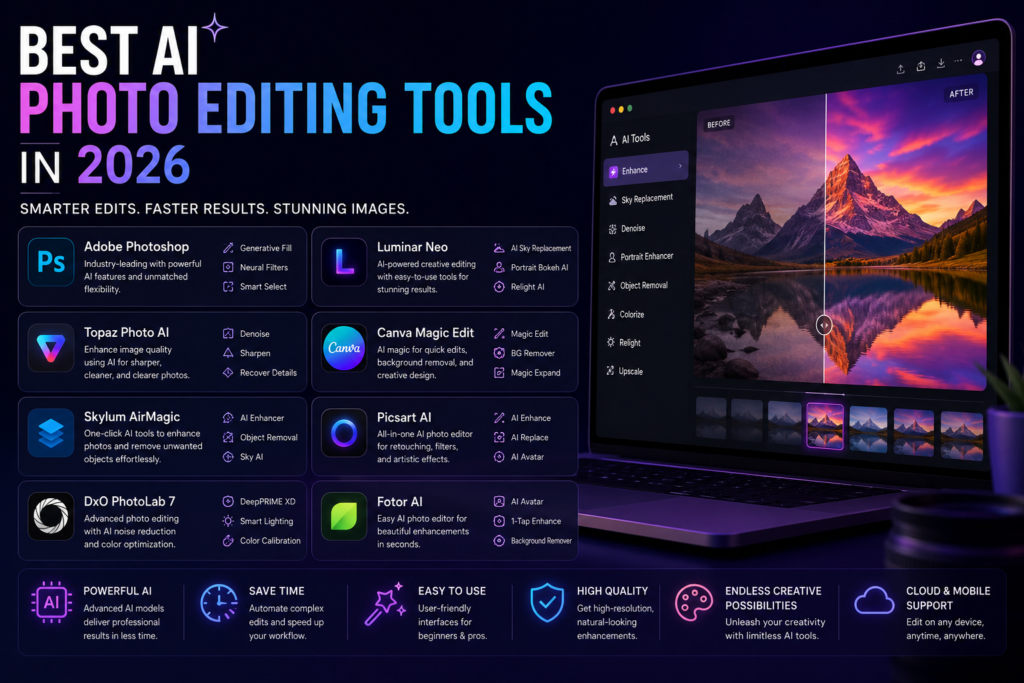
Photo editing changed more in the last 18 months than in the previous decade.
Adobe shipped Photoshop 2026 with Harmonize, Generative Upscale, and built-in Topaz Labs integration. Skylum rolled out GenSwap, GenErase, and GenExpand inside Luminar Neo. Apple folded Pixelmator Pro into Creator Studio with Apple Intelligence. And the line between “AI feature” and “AI-first product” has effectively disappeared — every serious editor now ships generative tools natively.
The question in 2026 isn’t whether to use AI photo editing. It’s which tool fits your actual workflow.
Futurelume — where technology gets practical
How to Read This List
These tools are organized by use case, not by an overall ranking. The best AI photo editor for a wedding photographer processing 2,000 RAW files per week is different from the best one for a marketing team producing e-commerce product shots.
Pick the category that matches what you actually do.
For Professional Photographers: Adobe Photoshop with Firefly
Adobe Photoshop with Firefly AI is the benchmark for 2026 — <cite index=”10-1″>the strongest AI image editor for creative professionals, with generative fill, neural filters, and layer-based editing that’s unmatched.</cite>
The 2026 version adds Harmonize (for matching lighting and color when compositing), Generative Upscale (enlarging images without quality loss), and deeper Topaz Labs integration for noise reduction and sharpening directly inside the application.
What it does best: Complex compositing, generative fill for object removal and background extension, professional retouching, and anything requiring precise layer control.
The limitation: $19.99/month for the Photography Plan (includes both Lightroom and Photoshop). It’s the industry standard and priced like it. For hobbyists, the cost is hard to justify.
Rating: 9.3/10 — best overall for professionals.
For RAW Workflow Speed: Adobe Lightroom + Topaz Photo AI
<cite index=”10-1″>For photographers who prioritize RAW workflow speed and AI-powered culling, Adobe Lightroom paired with Topaz Photo AI delivers the best results.</cite>
Lightroom’s AI masking — detecting subjects, skies, and backgrounds automatically — handles the selection work that used to take minutes per image. Combined with Topaz Photo AI for noise reduction and sharpening, it’s the fastest path from RAW files to edited deliverables for volume shooters.
What it does best: High-volume RAW processing, AI masking, consistent batch editing, catalog management.
The limitation: Topaz Photo AI is an additional subscription on top of Lightroom. Budget for both if this is your primary workflow.
For High-Volume Photographers: Aftershoot and Imagen AI
These two are built specifically for photographers processing large volumes — weddings, events, portraits.
Aftershoot combines AI culling, AI editing, and AI retouching in one platform. <cite index=”6-1″>It works offline, learns your style, and uses flat pricing — no per-image surprises — which makes it ideal for high-volume photographers.</cite>
Imagen AI takes a different approach — <cite index=”6-1″>it delivers clean, consistent edits directly inside Lightroom Classic and nails skin tones for weddings and portraits.</cite>
The honest comparison: Aftershoot is more self-contained. Imagen AI integrates seamlessly with Lightroom if you’re already in that ecosystem. Both beat manual editing on volume.
For Feature Breadth Without Subscription: Luminar Neo
<cite index=”9-1″>Luminar Neo from Skylum delivers the most generous one-click AI feature set without forcing you into a subscription. The 2026 build adds GenSwap, GenErase, and GenExpand — Skylum’s answer to Adobe’s generative trio.</cite>
With over 25 AI tools built in — Sky AI for sky replacement, portrait tools, object removal, background extension — it handles complex edits that would otherwise require significant skill and time.
What makes it stand out: One-time purchase option. For photographers who don’t want a recurring subscription for their primary editor, Luminar Neo is the clearest alternative to Adobe.
The limitation: Integration with Lightroom and Photoshop is functional but not seamless. If your workflow depends heavily on those applications, the friction is real.
For Non-Photographers and Content Creators: Canva AI
<cite index=”12-1″>Best value for non-designers who need fast social, marketing, and presentation-ready edits without learning a professional photo editor.</cite>
Canva’s AI tools — background removal, Magic Edit, AI-generated image variations, object replacement — are accessible enough that someone with no editing background can produce usable results in minutes.
What it does best: Social media graphics, marketing content, quick background removal, template-based design.
The limitation: Not a tool for photographers. The output quality doesn’t approach what dedicated photo editors produce on complex editing tasks.
Price: Free tier is genuinely useful. Canva Pro at $15/month unlocks the full AI feature set.
For Mobile-First Editing: Photoleap and Facetune 3
Photoleap is the strongest mobile AI photo editor for creative work — <cite index=”13-1″>sky replacement, object removal, generative AI backgrounds, and a Flux AI image generator that works from text prompts, all on iOS and Android.</cite>
Facetune 3 focuses specifically on portrait retouching. <cite index=”13-1″>It handles skin smoothing, teeth whitening, eye brightening, and subject isolation without manual selection — the AI detects facial features automatically.</cite>
Who these are for: Content creators who shoot and edit on mobile. Not for photographers who work with RAW files on desktop.
For E-Commerce Product Photos: Specific Tools Worth Knowing
E-commerce has specific needs — clean backgrounds, consistent lighting, multiple angles — that general photo editors don’t optimize for.
<cite index=”13-1″>For e-commerce sellers and content creators who need multiple editing tools without committing to a monthly subscription, EnhanceIT PRO is the fastest starting point in 2026.</cite>
Background removal, product photo enhancement, and batch processing are the core use cases. The alternatives worth evaluating: Remove.bg for background removal specifically, and Adobe Express for branded product photography workflows.
The Comparison Table
| Tool | Best For | Price | Standout Feature |
|---|---|---|---|
| Photoshop + Firefly | Professional creative work | $19.99/mo | Generative fill, layer control |
| Lightroom + Topaz | RAW volume processing | $19.99/mo + Topaz | AI masking, batch workflow |
| Aftershoot | High-volume photographers | Flat pricing | Offline, learns your style |
| Imagen AI | Wedding/portrait photographers | Per-image or subscription | Lightroom integration, skin tones |
| Luminar Neo | One-time purchase seekers | One-time purchase | 25+ AI tools, no subscription |
| Canva AI | Non-photographers, content teams | Free / $15/mo | Accessibility, templates |
| Photoleap | Mobile-first creators | Free / subscription | Generative AI on mobile |
| Facetune 3 | Portrait retouching | Subscription | Automatic facial feature detection |
What’s Actually Changing in 2026
The biggest shift isn’t any individual tool — it’s that <cite index=”9-1″>the line between “AI feature” and “AI-first product” has effectively disappeared. Every serious editor now ships generative tools natively.</cite>
This means the decision is less about “which tool has AI” and more about workflow fit, pricing model, and output quality for your specific use case.
<cite index=”6-1″>81% of photographers surveyed in the 2025 industry report have finally found work-life balance because of AI editing tools.</cite> The practical translation: AI handles the groundwork, photographers focus on the creative decisions that actually differentiate their work.
The tools above are the ones where that trade-off works best in 2026. Test the one that matches your workflow. The free tiers are genuine enough to evaluate before committing.